
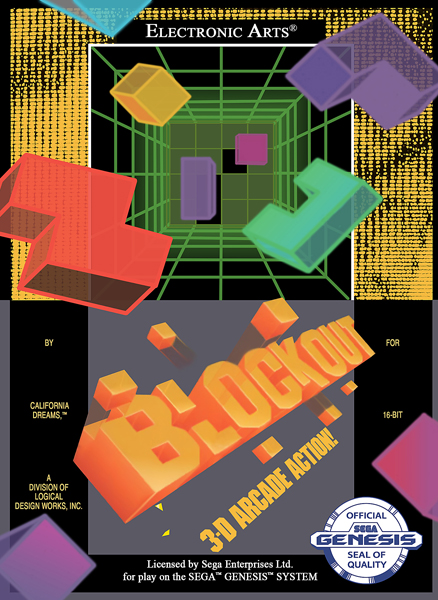
Blockout
System: Genesis
Release Date: September 1991
Developer: Electronic Arts
Publisher: Electronic Arts
Genre: Puzzle
Upgrade your line clearing to 3D in Blockout! Have you mastered Tetris? Are you ready to force your mind to bend in weird and wild ways? If this sounds like you, then maybe you’re ready to give Blockout a try.
This is what I’d expect 3D Tetris to be. Instead of filling up a 10 brick wide pit, you now have to take into account the length of the pit, as well. The size of the pit can be altered in the options menu, but the default setting is 5x5x12 with the flat block set. You can play on a pit as small as 3x3x3 and as big as 7x7x12. There are three different block sets to choose from. The flat set gives you a small number of 2D pieces that are up to four cubes big. The basic set adds in some 3D pieces, still up to four cubes big. The extended set has 41 different blocks and can have up to five cubes.
Now being in three dimensions, there are three ways to rotate your blocks. The A Button rotates the cube around the x-axis, the B Button rotates around the y-axis, and the C Button rotates around the z-axis. In practice, rotating around the z-axis is used the most with the flat blocks, but once you get into the other sets, you’ll be rotating every which way you can.
As you place blocks, the goal is to fully fill a layer of the pit. Doing that will clear the blocks and move the higher layer down. What becomes really tricky is when you accidentally leave a hole. It’s possible to maneuver your next block in a way to fill the hole, but your view is obstructed and this is easier said than done. I had an issue with thinking I was in the correct spot, but then after pressing Start to drop the block, I’d find I was one off.
I tried each block set and while the flat blocks were calming to work with, the extended set was not. It’s difficult to see what the 3D blocks are actually shaped like because of the viewpoint and the wireframe graphics. It would have been nice to get a rendition of the piece off to the side, like you get in the manual. That would have at least given me a chance. This led to a lot of misplaced pieces and extra frustration.
Graphics: 1.5
Wireframe 3D that oftentimes obfuscates your view of the block.
Sound: 1.0
The title theme is pretty rocking, but then all you get are annoying sound effects.
Gameplay: 2.0
Twisting and turning the blocks is a novel concept, but only rotating each axis in one direction can be a pain.
Difficulty: 2.5
Your brain needs to be ready to work in three dimensions, but you can save your mistakes.
Fun Factor: 1.5
I didn’t really enjoy myself per se, but it wasn’t awful.
Overall Rating: 1.7
Blockout earns a C-. This is not a worthy competitor to Tetris. I’d even rather play Klax…